

Get Started Today! 708-781-7110

Preferred Blog
Preferred has been serving the Tinley Park area since 1991, providing IT Support such as technical helpdesk support, computer support, and consulting to small and medium-sized businesses.
Tip of the Week: How to Create QR Codes in Microsoft Excel

QR codes are a handy way to direct someone to the right place online, like your business’ website, but did you know that they are also pretty easy to make? Let’s go over how you can whip up your own with the help of Microsoft Excel.
First, You Need to Build a Table
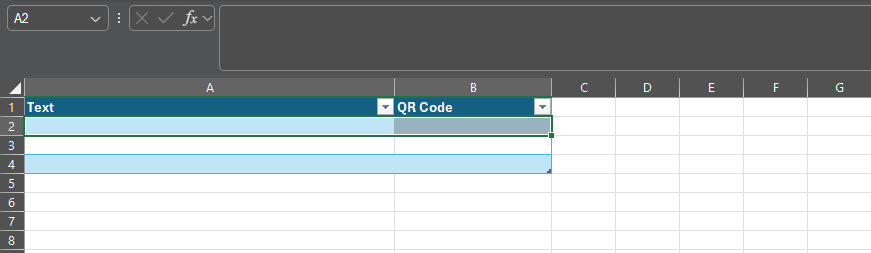
In Excel, you’ll want to create a table. Under the Insert menu, select Table and make one with two columns. Rename Column1 as Text and Column2 as QR Code.
The result should look like this:
Next, You Populate It With Your Links
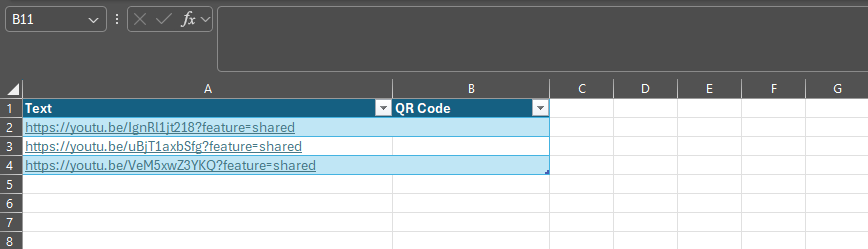
In the Text column, paste the links for which you want to generate a QR code.
Then, You Add the Formula
Then, selecting the top empty space in the QR Code column, paste in the following formula:
=IMAGE("https://api.qrserver.com/v1/create-qr-code/?size=150x150&data="&[@Text]&"")

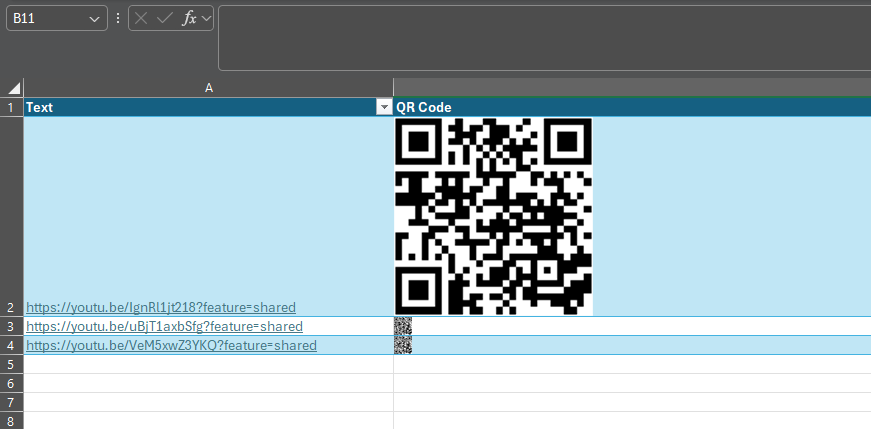
Finally, You Have Your QR Code
This will generate a QR code for each link in the corresponding cell. While we have edited the screenshot somewhat to show you the result more clearly, all of these codes will direct to the associated link, and can be copied and used elsewhere.
It’s Really That Simple!
Stick around for more handy tips and discussions about numerous IT topics and happenings. To learn more about what we can do to assist your business with its IT directly, contact us at 708-781-7110.
About the author

Sign Up for Our Newsletter
Mobile? Grab this Article!

Latest Blog Entry
When it comes to cyber insurance, most business leaders assume they’re protected… until they try to file a claim. The truth is, cyber insurance has changed dramatically in the last few years. Carriers are tightening requirements, premiums are rising, and companies that...
Latest News
Preferred Communication Systems Acquires Business System Solutions’ Grand Rapids Operations, Expanding Midwest Footprint
GRAND RAPIDS, MI, UNITED STATES, December 3, 2025 -- Preferred Communication Systems (Preferred), a leading provider of Managed IT and Cybersecurity services headquartered in Chicago, Illinois, proudly announced the acquisition of Business System Solutions’ (BSS) Grand Rapids location.
This strategic acquisition enhances Preferred’s presence in the Midwest and strengthens its commitment to helping small and mid-sized businesses achieve peace of mind and a better bottom line through technology.
Copyright
Preferred. All Rights Reserved. Privacy Policy


Comments